

MacBook Fan Noise in Dubai: Discover the Real Cause
A loud MacBook fan could be really disruptive especially when the laptop starts producing strange noises while you’re using it for regular activities. You could hear the fan making noise all the time while you browse, have video calls, edit your documents, and even when you think your MacBook is inactive.
However, loud fan noise doesn’t necessarily mean that you should replace the fan.
A professional MacBook Fan Noise in Dubai analysis concentrates on the cause of the fan making strange noises. The problem could be dust accumulation, blocked ventilation, increased processor load, thermal issues, a damaged fan, sensors, running background apps, or some other internal issue.
Identifying the cause first will help to save your MacBook from unnecessary repairs.
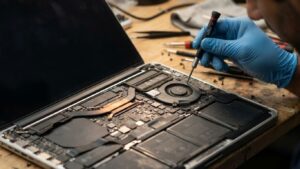
MacBook Fan Noise in Dubai
Why Is My MacBook Fan So Loud?
MacBook fans are made to increase ventilation if the laptop becomes overheated. When the MacBook works hard, making noise is perfectly fine.
The issue arises when the fan becomes too noisy and keeps working all the time even when you perform easy tasks or makes weird noises.
The possible reasons are:
- Dust accumulation
- Restricted airflow
- High CPU or GPU usage
- Demanding applications
- Background processes
- Thermal management problems
- Faulty or worn fan
- Temperature sensor problems
- Blocked ventilation
- Previous physical damage
- Liquid damage
- Internal component issues
Because several different problems can produce similar symptoms, diagnosis is more useful than immediately replacing the fan.
Common Types of MacBook Fan Noise
Not all fan noise sounds the same. The type of noise can provide useful clues about what may be happening.
Constant Whirring
A steady, loud fan may indicate that the MacBook is continuously generating heat or detecting higher internal temperatures.
This can happen during demanding tasks, but persistent noise during light workloads may require further investigation.
Rattling or Vibrating
A rattling sound can indicate a mechanical problem with the fan or something interfering with its movement.
Grinding Sound
Grinding may suggest wear within the fan’s moving components. A mechanically worn fan should be inspected rather than ignored.
Clicking or Ticking
Unusual clicking or ticking can indicate an obstruction, mechanical issue, or another problem affecting the fan assembly.
Fan Speed Constantly Changing
If the fan repeatedly accelerates and slows down without an obvious workload change, the cause may involve temperature fluctuations, software activity, sensor readings, or thermal management.
Dust Can Cause MacBook Fan Noise
One of the simplest explanations for increased fan noise is dust buildup.
There may be dust collected inside the MacBook and around the parts used for cooling.
Limited air flow would make it difficult for the cooling system to take heat away from the components.
This way, the fan would have to work harder or work for a longer time period.
In case your MacBook is working properly apart from the fan noise, you might consider having it cleaned by professionals.
It is important to remember that cleaning cannot solve all fan problems; in case the fan or any other component is broken, cleaning will not solve the problem.
High CPU Usage Can Make the Fan Loud
Sometimes the fan is working exactly as intended.
Applications performing demanding tasks can increase processor usage and generate additional heat. Video editing, rendering, large file processing, software development, virtual machines, gaming, and other intensive workloads can cause the fan to become louder.
Background processes can also create unexpected processor activity.
Before replacing a fan, it is therefore useful to determine whether a specific application or process is responsible for the increased workload.
Software Can Cause Excessive Fan Activity
A software process that continuously uses significant system resources can keep the MacBook warm and cause the fan to operate more frequently.
If fan noise suddenly appeared after installing an application, updating software, or changing your workflow, the software environment should be investigated.
This is another reason why MacBook Fan Noise in Dubai diagnosis should not automatically begin with hardware replacement.
If the fan itself is healthy, replacing it will not solve a software-related workload problem.
Thermal Problems Can Increase Fan Noise
The cooling system depends on more than the fan.
Thermal performance can be influenced by several internal components and conditions. If heat is not being transferred or removed efficiently, the MacBook may increase fan speed to compensate.
A professional inspection may therefore consider:
- Fan operation
- Internal airflow
- Thermal conditions
- Processor workload
- Relevant temperature readings
- Cooling components
- Ventilation paths
The goal is to identify why the MacBook is generating or retaining excessive heat.
What If the MacBook Fan Is Actually Failing?
A fan can develop a mechanical or electrical fault.
Possible signs include:
- Grinding noises
- Rattling
- Fan not spinning
- Fan spinning inconsistently
- Unusual vibration
- Persistent abnormal noise
- MacBook overheating despite low workload
If testing confirms that the fan itself is defective, targeted fan repair or replacement may be appropriate.
The important point is that the replacement should follow diagnosis—not the other way around.
Can a Temperature Sensor Cause Fan Noise?
Temperature sensors help the MacBook monitor internal conditions and manage thermal behavior.
If sensor readings are incorrect or another related component behaves abnormally, the MacBook may respond by changing fan behavior.
For example, the fan may run at a higher speed than expected even when the system does not appear heavily loaded.
A technician can investigate whether the fan is responding normally to system conditions before deciding that the fan needs replacement.
MacBook Fan Noise After a Drop or Impact
If your MacBook became noisy after being dropped, the fan and surrounding components should be inspected.
Physical impact can potentially affect:
- Fan alignment
- Fan housing
- Internal connectors
- Cooling components
- Display or chassis structure
- Other internal hardware
A rattling or vibrating fan after an impact should not be ignored. Continuing to use a damaged mechanical component can potentially make the problem worse.
MacBook Fan Noise After Liquid Damage
Liquid exposure can create complicated hardware symptoms.
A MacBook may continue operating after a spill while developing problems with individual components later. Fan behavior can be affected if liquid reaches relevant internal circuits, connectors, sensors, or other hardware.
If unusual fan behavior appeared after water, coffee, or another liquid spill, professional diagnosis is recommended.
Replacing the fan alone may not address the underlying damage.
MacBook Fan Noise vs. MacBook Overheating
Loud fan noise and overheating are related but not identical problems.
A fan may become loud because it is successfully trying to cool a hot MacBook. In that situation, the fan may be working correctly while another issue is causing excessive heat.
Possible causes can include:
- High processor workload
- Demanding applications
- Restricted airflow
- Dust buildup
- Thermal management problems
- Sensor issues
- Internal hardware faults
This distinction matters because replacing a working fan will not necessarily solve the overheating problem.
How Professional MacBook Fan Noise Diagnosis Works
A proper diagnostic process can help separate normal fan activity from a genuine hardware problem.
1. Listen to the Fan
The technician evaluates whether the noise sounds like normal airflow or an abnormal mechanical sound.
2. Check System Workload
Processor and system activity can be examined to determine whether applications or background processes are generating excessive heat.
3. Inspect Airflow and Cooling
The cooling system can be checked for dust, obstruction, and other conditions that may restrict airflow.
4. Test Fan Operation
The fan can be evaluated for proper rotation, speed behavior, vibration, and abnormal mechanical sounds.
5. Investigate Sensors and Thermal Behavior
Relevant temperature readings and thermal behavior can be assessed where appropriate.
6. Inspect for Physical or Liquid Damage
If the problem appeared after an accident or spill, internal hardware may require additional inspection.
7. Recommend the Appropriate Repair
Only after identifying the cause should the technician determine whether cleaning, software troubleshooting, fan repair, component replacement, or another solution is appropriate.
Why You Should Not Replace the Fan Immediately
Replacing the fan may seem like the obvious solution when a MacBook is noisy. But the fan could simply be responding to another problem.
For example:
Problem: MacBook fan runs constantly.
Possible cause: A background application is using high CPU resources.
Wrong approach: Replace the fan.
Better approach: Identify and resolve the excessive system workload.
Another example:
Problem: MacBook fan becomes very loud.
Possible cause: Dust is restricting airflow.
Wrong approach: Replace a perfectly functional fan.
Better approach: Inspect and clean the cooling system where appropriate.
The same principle applies to thermal issues, sensors, and other internal faults.
Replacing MacBook because of noisy fans -Wrong idea!
Just because there is noise in the fans does not necessarily mean that you need to replace your MacBook.
All its components such as display, logic board, storage, keyboard, battery, trackpad, speakers, ports and so many more might just be functioning fine.
When the problem is specifically about cooling or fans, then the problem can be solved by repairing the machine.
Therefore, MacBook Fan Noise service in Dubai needs to look for the cause first before suggesting a replacement.
When Should You Get Professional MacBook Fan Noise Diagnosis?
Consider professional inspection if:
- The fan is constantly loud during light use
- You hear grinding or rattling
- The fan vibrates unusually
- Your MacBook overheats frequently
- Fan speed constantly changes without an obvious reason
- The fan does not appear to spin correctly
- The problem started after a drop
- The problem started after liquid exposure
- Cleaning and basic software checks have not helped
- Performance decreases when the MacBook becomes hot
Early diagnosis can help prevent continued stress on the cooling system and other internal components.
Tips How to Minimize Unnecessary Fan Noises in Your MacBook
There are many ways to decrease the activity of the fan.
Place the device on a solid surface and make sure that it has sufficient ventilation. Close unnecessary applications and see whether any of the processes consume too much resources.
Do not use the device in very hot or dusty surroundings. Keep the exterior clean and do not block the ventilation openings.
In case the fan suddenly starts making sounds louder than usual, find out the reason rather than ignore the situation and continue using the device under such circumstances.
MacBook Fan Noise Diagnosis in Dubai
Loudness of a MacBook fan is just a symptom, but not the problem itself.
The possible reasons include dust accumulation, lack of ventilation, heavy computer load, thermal problems, fan malfunction, unusual sensor behavior, physical damage, liquid contact, or another internal issue.
Professional MacBook fan noise diagnosis in Dubai aims to find the true cause of the noise. This helps avoid unnecessary fan replacement and protects other functional parts of the MacBook.
If your MacBook is noisy, overheats, vibrates, makes rattling sounds, or operates with constant fan noise, have it checked by professionals. MacBook Repair in Dubai can help identify the underlying issue and determine the appropriate repair.
Don’t replace the fan just because it is noisy. Find out what is wrong, fix the problem, and keep your MacBook in good condition. WhatsApp Prabhat Mac Care today for professional diagnosis and repair support.
FAQ
1.Why my MacBook fan makes noises?
There could be several causes of MacBook fan noises such as dust collection, poor airflow, CPU overload, overheating problems, sensor failure or just worn-out or damaged fan. Professional diagnosis will help to understand the exact cause of the noise without any replacements.
2.Is the noise made by MacBook fan a sign that it needs to be replaced?
Absolutely no. Fan can function normally as the reaction to CPU overload, overheating, lack of airflow or other internal issue. Diagnosis of MacBook Fan Noise in Dubai will help to understand whether it needs repairing or replacing.
3.When should I visit the service for MacBook Fan Noise Repair in Dubai?
You need to have your fan diagnosed in case it makes noise when it is not overloaded, produces grinding/rattling sounds, vibrations change or your laptop often overheats.
