

MacBook macOS Installation Problems in Dubai: Fix the Software Before Replacing Hardware
The installation of macOS usually is expected to be a simple affair. It all starts with you, your MacBook restarts, and once everything has been done successfully, everything gets sorted out. In some instances, however, the process will suddenly get stuck, show errors, or just keep on restarting without completion.
What could tempt someone to think that the MacBook’s hardware has malfunctioned? Well, the fact of the matter is that the problem with installing macOS does not necessarily mean that the MacBook requires a replacement of its SSD, logic board, or even any other component.
The reasons why something like this can happen are corrupt installation files, lack of sufficient storage, incompatibility issues, bad internet connection, existing problems with the current system, startup disk problems, or hardware failure.
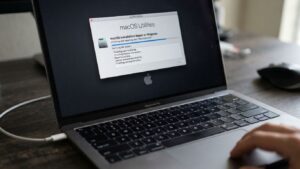
MacBook macOS Installation Repair in Dubai
Why Can a macOS Installation Fail?
A macOS installation involves several stages and depends on multiple parts of the MacBook working correctly.
The installer needs to download or access the required files, verify them, prepare the startup disk, install system components, restart the Mac, and complete configuration.
A problem at any stage can interrupt the process.
Common causes include:
- Corrupted installation files
- Insufficient storage space
- Unstable internet connection during download
- macOS compatibility limitations
- Existing system corruption
- Startup disk errors
- Installation conflicts
- Firmware-related issues
- Hardware problems
Because there are so many possibilities, replacing hardware immediately is rarely the best first step.
Common macOS Installation Problems on MacBook
A failed macOS installation can appear in different ways.
You may see:
- Installation stops before completion.
- Progress bar remains stuck for a long time.
- MacBook repeatedly restarts during installation.
- An error message appears.
- The installation fails after downloading.
- The MacBook gets stuck on the Apple logo.
- The system returns to the installer repeatedly.
- The MacBook boots into recovery instead of macOS.
- The installation cannot find the startup disk.
- The MacBook becomes unable to boot after an interrupted update.
- macOS installation appears complete but the MacBook cannot start normally.
Each symptom requires a different diagnostic approach.
Failed macOS Installation Does Not Always Mean Hardware Failure
An important thing to keep in mind is that software installation issues can easily resemble hardware issues.
As an illustration, when your MacBook fails to boot due to a failed installation of the operating system, it might seem that the device has faulty storage hardware, whereas the problem may lie somewhere else.
Likewise, an installation that repeatedly fails may be caused by insufficient storage rather than a defective SSD.
This is why our approach begins with diagnosis.
The installation needs to be fixed before assuming the hardware needs to be replaced.
Insufficient Storage During macOS Installation
macOS installations require sufficient available storage for the installer, temporary files, system components, and the new operating-system environment.
If your MacBook is nearly full, the installation may fail or become unable to complete correctly.
Low storage can also cause other symptoms, including:
- Slow system performance
- Application crashes
- Difficulty installing updates
- File-saving problems
- Startup delays
- System instability
Checking storage availability is therefore an important early step when diagnosing installation problems.
macOS Compatibility Problems
Not every MacBook supports every macOS version.
If you attempt to install an operating system that is not officially compatible with your model, the installation process may not proceed as expected.
Compatibility should be checked before attempting major system changes.
A MacBook model’s supported macOS versions, current operating system, and installation method can all influence the correct troubleshooting approach.
Corrupted Installation Files
An incomplete or corrupted installer can prevent macOS from being installed correctly.
This can happen when installation data is interrupted, damaged, or otherwise incomplete.
Depending on the situation, obtaining a fresh installer and performing the installation again may resolve the problem without requiring any hardware replacement.
Internet and Download Problems
Some macOS installation processes require downloading significant amounts of data.
An unstable internet connection can interrupt the download or prevent the installation process from obtaining everything it needs.
If the installation repeatedly fails during the download stage, network stability and installer integrity should be considered before assuming that the MacBook itself is defective.
Startup Disk Errors
The startup disk plays a central role in macOS installation.
If the installer encounters problems preparing, verifying, or writing to the startup disk, the installation may stop or produce an error.
Possible causes include:
- File-system problems
- Insufficient available space
- Existing system corruption
- Storage hardware issues
The important distinction is that a disk-related installation error does not automatically prove that the physical storage hardware has failed.
The disk should be evaluated before deciding on replacement.
macOS Installation After an Interrupted Update
Sometimes a MacBook becomes difficult to use after an interrupted macOS update.
The device may:
- Remain on the Apple logo
- Show a progress bar indefinitely
- Restart repeatedly
- Boot into recovery
- Display an error
- Fail to reach the normal login screen
In such situations, the operating system may need to be repaired or reinstalled.
If important files are stored on the MacBook, data considerations should be taken into account before performing actions that could erase the startup disk.
When a macOS Installation Problem May Indicate Hardware Trouble
Although many installation problems are software-related, hardware should not be ignored when the evidence points in that direction.
Hardware diagnosis may be necessary when:
- The installation repeatedly fails after software troubleshooting.
- The storage device shows signs of failure.
- The MacBook experiences unexpected shutdowns during installation.
- The system has a history of physical damage.
- Liquid exposure occurred before the installation problem.
- The MacBook has persistent memory or logic board symptoms.
- Multiple operating-system installation attempts fail in similar ways.
The objective is to establish whether hardware is actually preventing the installation from completing.
Our MacBook macOS Installation Repair Process in Dubai
At Prabhat Mac Care, we approach MacBook macOS Installation Repair in Dubai by investigating the cause rather than simply reinstalling the operating system repeatedly.
1. Understand the Installation Failure
We determine where the installation stopped and what message or behavior appeared.
Was the problem during download, preparation, installation, restart, or final setup?
2. Check MacOS Compatibility
The MacBook model and the intended macOS version are considered to determine whether the installation is appropriate.
3. Check Available Storage
Available disk space is evaluated to determine whether insufficient storage could be preventing installation.
4. Assess the Existing System
Where possible, the current operating system and startup environment are examined for corruption or configuration issues.
5. Inspect the Startup Disk
If installation errors suggest a disk-related problem, the startup storage is evaluated to distinguish software or file-system problems from possible hardware failure.
6. Repair or Reinstall macOS
Depending on the diagnosis, the appropriate installation or recovery procedure can be performed.
7. Test the MacBook After Installation
The system is checked after installation to confirm that it boots correctly and that essential functions are working as expected.
Should You Reinstall macOS Yourself?
A standard macOS reinstall can be manageable in some situations, but caution is important when the MacBook contains valuable files.
A failed installation combined with storage problems, repeated startup errors, or an inability to boot normally may require more careful diagnosis.
Before erasing a startup disk, consider whether you have a current backup of your important files.
If you are unsure why the installation failed, repeatedly attempting different installation methods may make troubleshooting more complicated.
MacBook Stuck During macOS Installation
A progress bar that appears frozen can be alarming.
However, the apparent lack of movement does not always mean the hardware has failed. Some installation stages can take longer than others, depending on the MacBook model, storage condition, installation method, and amount of data involved.
If the system remains unresponsive for an unusually long period or repeatedly fails at the same point, professional diagnosis can help determine what is happening.
MacBook Won’t Boot After macOS Installation
If your MacBook does not boot normally after an installation or update, the issue may involve the operating system, startup disk, recovery environment, or hardware.
Possible symptoms include:
- Apple logo with no progress
- Blank screen
- Repeated restarts
- Recovery mode
- Question-mark folder
- Installation error
- Login screen failure
The correct repair depends on which part of the startup process is failing.
Why Replacing the SSD Isn’t Always the Answer
Storage-related errors can make an SSD appear to be the obvious culprit.
But an installation problem can also be caused by file-system corruption, insufficient space, system errors, or other software-related conditions.
Replacing the storage before establishing that the physical drive has failed can be unnecessary.
A better approach is to test the storage and determine whether the problem is logical or hardware-related.
Why Choose Prabhat Mac Care?
When a macOS installation fails, the solution should be based on evidence rather than assumptions.
At Prabhat Mac Care, we focus on finding the cause before recommending major hardware changes.
Software-First Diagnosis
We consider installation files, compatibility, storage availability, system condition, and other software-related causes.
Hardware When Necessary
If diagnostic evidence points toward a physical fault, relevant hardware can be investigated.
Targeted Solutions
We aim to address the actual problem rather than automatically replacing major components.
Data Awareness
If your MacBook contains important files, we consider data-related concerns before recommending procedures that could erase the startup disk.
Post-Installation Testing
After resolving the installation problem, the MacBook is checked to ensure the operating system loads correctly.
Fix Software Problem before Buying New Parts
A failure in the macOS installation on a MacBook will give you the impression that your computer is severely broken; but actually, this might not be true at all.
There can be many causes of the problems such as installation files, disk space, compatibility, corrupted macOS, startup disk issues and hardware issues which can prevent the installation from going well. Without pinpointing the root cause, changing any major part of the system will result in additional costs.
When you require MacBook macOS Installation Repair in Dubai, Prabhat Mac Care can help you solve the installation issue.
Book Your MacBook macOS Installation Repair in Dubai
Don’t replace your MacBook just because macOS failed to install. Let the problem be diagnosed first.
Whether your MacBook is stuck during installation, repeatedly restarts, shows an error, cannot find the startup disk, or fails to boot after an update, professional diagnosis can help identify the real cause.
Contact Prabhat Mac Care today for MacBook macOS Installation Repair in Dubai and WhatsApp us for professional support to fix the software before replacing hardware.
FAQ
1.Why is macOS installation failing on my MacBook?
The problem may stem from corrupted installation files, inadequate space, system compatibility, unstable connection, startup disk issue, system corruption, or hardware problems. Proper assessment will help in determining the root cause prior to hardware replacement.
2.Does unsuccessful macOS installation imply that my MacBook SSD requires replacement?
No. The reasons for installation failure can include software, file system, insufficient storage, or any other factors that are not necessarily related to the hardware components. It is necessary to first examine your startup disk.
3.Will MacBook macOS Installation Repair in Dubai resolve installation issues without replacing hardware?
Certainly. Depending on the reason behind the failure, **MacBook macOS Installation Repair in Dubai** will include assessment of compatibility, storage, system status, installation files, startup disk issues, and other relevant aspects.
