

MacBook Startup Problems in Dubai: Diagnose Why Your Mac Takes Too Long to Boot
A MacBook that takes a long time to start up has been a major impediment to a quick and efficient workflow. The next step after pressing the power button and seeing the Apple logo should be the rapid appearance of the login screen or other operating system.
The fact that a MacBook starts poorly does not always mean that it will need to be replaced because there are several reasons that a laptop will not start. These reasons range from startup apps that consume more memory than needed, insufficient storage, macOS operating system difficulties, and storage problems to laptop battery, power supply, and hardware failures.
Our technicians at Prabhat Mac Care recognize that MacBook Startup Repair in Dubai entails diagnosing what is causing his startup time to balloon or stop completely. The emphasis is on what has gone wrong with the boot process rather than what expensive hardware upgrades you need to install to get your MacBook to perform better.
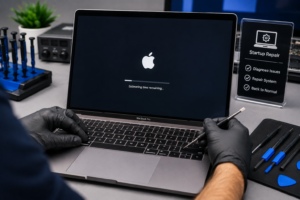
Why is my MacBook taking so long to start?
A MacBook must perform several different operations during the startup process. Namely, it must initialize hardware, load firmware, find a startup disk, launch macOS, load system services, and finally, open the desktop.
A malfunction at any of these stages may cause a problem with the boot process.
The issue might be as simple as a large number of apps launched at startup or much more serious, such as the corruption of system files or the beginning of the storage device failure.
That is why the first task is not to try to guess which parts are faulty and what should be replaced first.
It should be:
“Where in the startup process is the MacBook getting stuck or slowing down?”
Common MacBook Startup Problems
MacBook startup issues can appear in several different forms.
You may notice:
- The MacBook takes several minutes to reach the desktop.
- The Apple logo remains on the screen for a long time.
- The progress bar stops moving.
- The screen stays black after pressing the power button.
- The MacBook repeatedly restarts during startup.
- The device becomes stuck on the login screen.
- macOS starts but takes unusually long to become responsive.
- A folder or question-mark symbol appears.
- The MacBook starts normally sometimes but slowly at other times.
- Startup becomes slower after a macOS update.
- The MacBook becomes unusually hot during startup.
Each symptom can point toward a different area of the system.
Startup Software Can Slow Down Your MacBook
One of the simplest and most common reasons is the number of applications and background services that start up.
With time, you may have installed applications that have login items or synchronize with the system or add helper applications that start up each time you log in. This can add significantly to the amount of work your MacBook has to do before it is ready to use.
Deleting these applications can often speed up the startup process dramatically without having to replace any hardware.
If the problem is severe or has appeared suddenly, there may be other causes that will need to be diagnosed.
Low Storage Can Affect Startup Performance
Your MacBook requires free space for operating system processes, including temporary files and storage of macOS, applications, and their data.
If the free space is insufficient, the system cannot operate normally. For example, a lack of space may lead to slow Mac boot time.
Another sign that there are not enough free space on your MacBook is:
- Slow application launches
- Delayed file operations
- System freezing
- Reduced multitasking performance
- Difficulty installing updates
Checking available storage is therefore an important part of diagnosing startup problems.
macOS Problems and Corrupted System Files
Even if the hardware is working normally, macOS can prevent the computer from booting up correctly
System file corruption, incomplete or failed system update, configuration issues, incompatible programs or application errors, and several other software-related problems can occur.
A MacBook can shut down suddenly and start freezing on the Apple logo or loading bar. In this case, a software diagnostic tool might detect an issue with the operating system.
Startup Disk Problems
The internal storage device is critically important at the moment of startup, as the operating system has to read certain data from it.
Therefore, if it is malfunctioning in any way, the MacBook will inevitably require more time to get through the process of booting up.
Warning signs may include:
- Increasingly slow startup
- Applications taking longer to open
- Frequent system freezes
- File access delays
- Unexpected errors
- Difficulty completing macOS updates
- Repeated startup failures
If these symptoms appear together, the storage system should be checked carefully.
When Startup Problems Point to Hardware
Not every slow startup is a software problem.
Hardware faults can also interfere with the startup process. Depending on the symptoms, diagnosis may need to consider:
- Internal storage
- Memory-related issues
- Battery and power behavior
- Charging components
- Logic board circuitry
- Display-related faults
- Internal connections
- Damage from liquid or physical impact
The exact diagnostic approach depends on the MacBook model and symptoms.
MacBook Starts Slowly After a macOS Update
A noticeable change after a system update can be an important clue.
Some updates may cause temporary system adjustments, indexing, configuration changes or other background processes. However, if the unusually slow startup continues or is accompanied by other issues such as crashes, freezes, or repeated restarts, the situation should be taken seriously.
The point is to understand whether the software slowdown is the cause or if the update merely revealed a hardware issue.
What to Do If Your MacBook Is Stuck on the Apple Logo
A MacBook that is stuck on the Apple logo screen takes longer than normal to start up.
Potential reasons:
- macOS startup problems
- Storage errors
- System corruption
- Peripheral conflicts
- Hardware faults
- Power-related problems
Repeatedly forcing the MacBook to shut down, without addressing the root cause of the issue, is not a sustainable solution.
Professional diagnosis can pinpoint the exact stage of the startup process malfunctioning in the device.
MacBook Shows a Question Mark Folder
A folder containing a question mark can indicate that the Mac cannot locate a valid startup disk or operating system.
This does not automatically mean the entire MacBook needs replacement.
The startup disk, operating system, storage condition, and related hardware may need to be checked to determine why the system cannot find the expected startup volume.
Early diagnosis can also be useful when important files are stored on the MacBook.
Our MacBook Startup Repair Process in Dubai
At Prabhat Mac Care, our approach to MacBook Startup Repair in Dubai begins with finding the reason for the startup problem.
1. Understand the Startup Symptoms
We first determine exactly what happens after the power button is pressed.
Does the MacBook reach the Apple logo? Does the progress bar stop? Does it restart? Does it reach the login screen but take a long time to become usable?
These details help narrow the diagnostic path.
2. Check Startup Behavior
The MacBook is observed during the startup process to identify where the delay or failure occurs.
3. Assess Software and System Conditions
Where appropriate, macOS, startup services, login items, system configuration, and related software factors are considered.
4. Check Storage
Available storage and the condition of the startup disk may be investigated if symptoms suggest a storage-related issue.
5. Inspect Hardware
If software and storage checks do not explain the problem, hardware components and relevant connections may need further examination.
6. Identify the Root Cause
The goal is to separate a simple configuration or software problem from an actual hardware fault.
7. Recommend Targeted Repair
Once the likely cause has been identified, we recommend the appropriate repair or troubleshooting step rather than automatically replacing major components.
Why You Should Diagnose Before Replacing Your MacBook
A Mac laptop can slow down and become unresponsive to the user, but sluggishness is not an indicator that it’s time to buy a new laptop.
If the source of the issue is extra applications launching at start up, hard drive storage, corrupted system files, or other easily repairable problems, then the laptop may not need to be replaced.
Even if the laptop requires hardware repair, determining which hardware component has failed will allow for a more targeted solution to the issue.
The main point is this:
Find the problem first. Replace only what actually needs replacing.
Startup Problems vs. General Slow Performance
It is important to distinguish between a MacBook that starts slowly and one that is generally slow.
A startup-specific problem may involve:
- Long Apple logo screen
- Slow progress bar
- Delayed login
- Repeated startup attempts
- Startup disk errors
General performance problems may instead involve:
- Slow applications
- Browser delays
- Multitasking issues
- Persistent system lag
- Slow file transfers
The two can overlap, but they do not necessarily have the same cause.
What You Can Check Before Bringing in Your MacBook
If your MacBook still starts normally, you can observe a few basic things.
Check how much storage space is available and review which applications launch automatically. Pay attention to whether the slowdown happens every time or only occasionally.
Also note whether the problem started after:
- Installing an application
- Updating macOS
- Running out of storage
- A drop or impact
- Liquid exposure
- A battery or charging problem
These details can make diagnosis more efficient.
If the MacBook cannot start normally or repeatedly gets stuck during startup, avoid experimenting with complicated fixes if important data is stored on the device.
When Should You Get MacBook Startup Repair?
Professional inspection is worth considering when:
- Startup has become consistently slower.
- The MacBook gets stuck on the Apple logo.
- The progress bar repeatedly freezes.
- The MacBook restarts during boot.
- A question-mark folder appears.
- Startup problems occur after liquid or physical damage.
- The MacBook frequently fails to start.
- Startup issues are accompanied by freezing or unusual noises.
- The problem continues despite basic software troubleshooting.
The earlier the cause is identified, the easier it may be to determine the appropriate repair strategy.
Why Choose Prabhat Mac Care?
A startup problem can involve software, storage, power, or hardware. That is why a repair service should look beyond the most obvious symptom.
At Prabhat Mac Care, our approach focuses on diagnosis before replacement.
Diagnosis Before Replacement
We investigate the startup behavior before recommending major hardware changes.
Software and Hardware Consideration
Startup problems can originate from either side, so both areas may need to be considered.
Targeted Solutions
When the cause can be isolated to a specific issue, we focus on resolving that issue rather than replacing unrelated components.
Careful Handling
MacBook internal components and stored data require careful handling during inspection and repair.
Clear Recommendations
We explain the likely cause and appropriate repair options based on the diagnostic findings.
Diagnose the Startup Problem Before Replacing Hardware
A MacBook that takes too long to boot is telling you that something may need attention—but it is not necessarily telling you to buy a new computer.
Startup software, storage limitations, macOS problems, power issues, and hardware faults can all produce different types of startup delays. Finding the exact cause is therefore more useful than replacing components based on assumptions.
If you are looking for MacBook Startup Repair in Dubai, Prabhat Mac Care can diagnose the startup behavior and help determine whether the issue can be resolved through software troubleshooting, targeted repair, or component replacement.
Book Your MacBook Startup Repair in Dubai
Don’t let the annoying and time-consuming Macbook startup errors slow you down. From MacBook slow startup to getting stuck on the apple logo, restarting freezes, and more, our experts can help you diagnose the problem.
Contact Prabhat Mac Care today for MacBook Startup Repair in Dubai and find out why your MacBook is taking too long to start before replacing hardware unnecessarily.
Chat with us on WhatsApp for professional assistance.
FAQ
1.Why is my MacBook startup slow?
Some of the factors that cause MacBook startup to be slow include too many startup applications, insufficient storage, macOS problems, damaged system files, storage problems, power problems, or malfunctioning of hardware parts. This can be ascertained professionally to determine what is making the process slow.
2.Does a slow MacBook startup mean I need a new MacBook?
No, slow startup doesn’t necessarily imply you need a new MacBook. The services of MacBook Startup Repair in Dubai can be used to ascertain if it is the problem of software, storage, power, or a certain hardware part that can be fixed without buying a new MacBook.
3.Is there any way to fix MacBook stuck on Apple logo through MacBook Startup Repair in Dubai?
Yes, it depends on the problem causing the issue; the problem may range from problems of macOS, startup disks, peripherals, or malfunctioning of certain hardware parts. Therefore, it is advisable to diagnose the problem first before changing any parts.
