

MacBook Sudden Shutdown Repair in Dubai: Find the Cause Before Replacing Hardware
Unexpected shutdowns of your MacBook while in use are often an annoying experience. All of a sudden, your MacBook may go off while everything was working fine. When you reboot your computer and start using it, it may again shut down unexpectedly.
There are many reasons that might lead to this condition. Some of them include battery problems, overheating, charging issues, software problems, power circuit failures, or any other logic board failure. That is why immediate replacement of any component is not the solution in such cases.
Here at Prabhat Mac Care, when we perform MacBook Sudden Shutdown Repair in Dubai, we aim at identifying the actual cause of unexpected shutdowns before suggesting the replacement of any component. We do not just assume that the issue is related to some of your MacBook’s expensive components.
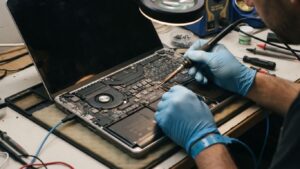
MacBook Sudden Shutdown Repair in Dubai
What Causes a MacBook to Shut Down Suddenly?
Sudden shutdown is a sign rather than a problem.
There are various reasons why your MacBook might suddenly shut down, such as:
The computer overheats
The computer has unstable power supply
There are critical software issues
Unexpected power loss
And other things
Depending on the case, one and the same thing can cause completely different problems. Let’s take a look at some examples:
Overheating -the computer shuts down when it performs resource-intensive tasks.
The issue with the battery or power supply -the computer suddenly shuts down when its battery level is relatively high.
Other reasons -the computer shuts down randomly, without any obvious cause.
In this regard, identifying the reason for the problem is important.
Causes of MacBook Shutdowns
1. Battery Issues
A failing or defective battery could be the cause of a shutdown problem. This is more likely if the MacBook shuts down without being connected to the charger.
The battery may be low on capacity, produce an inconsistent voltage output, or have degraded internally. In certain cases, a MacBook might register a decent battery level yet still shut down unexpectedly.
Thus, it is important to inspect the battery status and not assume that all MacBook shutdowns necessitate a replacement of the battery.
2. Overheating
The MacBook controls its internal temperature so as to avoid damaging any component. If it overheats, it will shut down or limit itself to preserve the component from harm.
Overheating is characterized by:
- Blocked ventilation
- Dust accumulation
- Heavy processor workloads
- Background processes
- Cooling system problems
- A malfunctioning fan
- Dried or ineffective thermal material
If shutdowns happen during gaming, video editing, rendering, or other demanding tasks, thermal behavior deserves particular attention.
3. Charging and Power Problems
A MacBook may also turn off due to unstable power supply.
It may be related to the charger, charging cord, charging port, power supply adapter, or internal charging circuits. A MacBook which functions well while on the battery and turns off while being charged or acts differently based on the power source may require a check for the charging system.
Replacement of the battery without analyzing the power supply circuit may not solve the issue.
4. macOS or Software Issues
All unexpected turnoffs are not necessarily caused by hardware problems.
Corrupted system files, incompatible software or extensions, failed update, or some other system malfunctioning may lead to the turnoffs.
When the MacBook turns off when opening a specific application or after performing any system operation, the troubleshooting of the software is required.
5. Logic Board Problems
The logic board controls many of the MacBook’s essential functions, including power management and communication between internal components.
A fault affecting power-related circuitry can result in intermittent shutdowns, startup problems, charging abnormalities, or other unpredictable behavior.
However, a sudden shutdown does not automatically mean the logic board needs replacement. Proper testing should be performed first to determine whether the board is actually responsible.
6. Internal Hardware Faults
Other internal components can sometimes contribute to unexpected shutdowns. Damage from impact, liquid exposure, previous repairs, or component failure may affect system stability.
If the shutdown problem started after a drop, spill, or repair, that history can provide an important diagnostic clue.
The Shutdown Pattern Can Reveal the Problem
One of the most useful things you can observe is when the shutdown occurs.
Ask yourself:
- Does it happen only when using the battery?
- Does it happen while charging?
- Does it happen when the MacBook becomes hot?
- Does it occur during demanding applications?
- Does it happen while the MacBook is idle?
- Does it happen at a specific battery percentage?
- Does the MacBook restart immediately afterward?
- Did the problem begin after a macOS update?
- Did the MacBook recently experience liquid or physical damage?
These details can help technicians narrow down the possible cause.
Why Diagnosis Should Come Before Hardware Replacement
Symptom-based replacement of faulty hardware parts can get very costly.
A MacBook that suddenly turns off might seem like it has battery problems when it’s really an overheating problem or something else altogether. Replacing a battery won’t fix a logic board problem.
That’s why the first step of MacBook Sudden Shutdown Repair at Dubai is diagnosis.
It aims to address three specific questions:
What is causing the shutdown?
Which component or system is involved?
What is the most appropriate repair?
Only after these questions have been investigated should a replacement decision be made.
Our MacBook Sudden Shutdown Diagnosis Process
At Prabhat Mac Care, we take a systematic approach to unexpected shutdown problems.
Step 1: Identify the Symptoms
This is done through establishing the timing and actions being carried out on the MacBook right before the computer shuts down.
This will enable us to establish a pattern in order not to look at the shutdown as an isolated issue.
Step 2: Evaluate Power Condition
Battery health, charging issues, and any other symptoms related to power are checked to see whether unstable power might be the cause.
Step 3: Evaluate Heat Issues
We check if overheating or cooling issues are the cause of protective shutdowns.
Step 4: Examine the Hardware
The MacBook could be examined for any form of hardware malfunction such as damage or wetness.
Step 5: Investigate Software and System Behavior
Where appropriate, software and macOS-related causes are considered so that a hardware repair is not recommended unnecessarily.
Step 6: Isolate the Fault
The available diagnostic information is used to identify the most likely source of the shutdown.
Step 7: Recommend the Appropriate Repair
Once the cause has been identified, we explain the repair options. If a specific component needs replacement, the recommendation is based on the diagnosis rather than guesswork.
MacBook Turns Off Based on a Particular Battery Level
A typical sign is when the computer turns off abruptly despite the battery indicating there is still charge left.
This is likely due to the inability of the battery to sustain the necessary power in some cases. Battery condition, behavior, power management, and reporting should all be taken into account.
Rather than just concluding that the battery level tells the whole story, it can be helpful to have a diagnosis by a professional to see whether the battery is actually the problem.
MacBook Shuts Down Due to High Temperatures
When shutdowns happen after long periods of use or when performing tasks that require a lot of work from the computer, temperature can be a critical factor.
Under heavy load, a MacBook is bound to get hot. But overheating along with shutting down may point to cooling problems.
Dust, limited air flow, issues with the cooling system, or abnormally high background activities can cause thermal stresses.
The fix might not necessarily include the replacement of the part.
MacBook Shuts Down While Charging
Unexpected shutdowns during charging can point toward a power-related problem, but several possibilities need to be considered.
The charger and cable should be checked first. The charging port and internal charging circuitry may also require inspection.
If the MacBook behaves normally on battery but becomes unstable when connected to power, this difference is an important diagnostic clue.
What If the MacBook Restarts After the Shutdown?
A shutdown followed by an automatic restart can indicate that the system encountered a serious software or hardware event.
Repeated occurrences should not simply be ignored, particularly if you notice other symptoms such as:
- Frequent freezing
- Kernel panic messages
- Excessive heat
- Charging problems
- Battery abnormalities
- Random restarts
- Failure to start normally
Keeping track of these symptoms can help technicians understand what is happening.
Sudden Shutdowns After Liquid Damage
Liquid exposure can create unpredictable problems inside a MacBook.
Even if the device continues working after a spill, moisture or corrosion may later affect power-related components and connections. A sudden shutdown that begins after liquid exposure should therefore be treated seriously.
Continuing to power or charge a potentially liquid-damaged MacBook can make an existing electrical problem worse.
Professional inspection can help determine whether the shutdown is connected to internal liquid damage.
Don’t Replace the Logic Board Without a Diagnosis
Logic board problems can be among the more complicated MacBook repairs. But the appearance of a sudden shutdown does not by itself prove that the logic board is defective.
A proper diagnosis should consider battery health, thermal behavior, charging, software, power delivery, and other possible causes first.
This helps prevent an expensive replacement when a more targeted repair may be appropriate.
When Should You Get MacBook Sudden Shutdown Repair?
Consider getting your MacBook checked if:
- It shuts down repeatedly without warning.
- It turns off during demanding tasks.
- It shuts down while charging.
- It turns off even when the battery appears charged.
- It becomes unusually hot before shutting down.
- It restarts unexpectedly.
- The problem started after a spill or drop.
- The shutdown issue is becoming more frequent.
- You have already tried basic troubleshooting but the problem continues.
Repeated shutdowns can interrupt work and may indicate an underlying issue that deserves attention.
Why Choose Prabhat Mac Care?
When a MacBook suddenly powers off, replacing the first component that seems suspicious is not always the best approach.
At Prabhat Mac Care, we focus on identifying the actual cause of the problem.
Cause-Focused Diagnosis
We investigate the circumstances surrounding the shutdown instead of relying on a single symptom.
Hardware and Software Consideration
Both hardware and software-related causes are considered where relevant.
Targeted Repair Approach
When possible, we focus on the component or system responsible for the problem rather than replacing unrelated hardware.
Clear Recommendations
We explain what the diagnosis indicates and what repair options may be appropriate.
Careful Device Handling
MacBooks contain delicate internal components, so inspection and repair require careful handling.
Find the Problem Before Installing New Parts
It doesn’t always mean that your MacBook needs a new battery, logic board, or anything else major just because it shuts down unexpectedly.
This problem can occur for many very different reasons. This is why it is important to figure out what your MacBook is doing when it shuts down.
Professional MacBook Repair in Dubai starts with proper diagnosis to identify the actual cause before replacing any parts unnecessarily.
Book Your MacBook Sudden Shutdown Repair in Dubai
Do not let frequent shutting down affect your work or worsen the issue for you. No matter whether your MacBook turns off while charging, when you are using it intensively, at certain battery levels, or randomly, getting it checked is always a good idea.
Contact Prabhat Mac Care today for MacBook Sudden Shutdown Repair in Dubai and WhatsApp us to find the cause before replacing hardware.
FAQ
1.What are the reasons behind sudden shut downs of my MacBook?
Reasons behind sudden shut downs in MacBooks may range from battery malfunction, overheating of the device, charger/power issues, software glitches, liquid exposure and logic board malfunction among others. Proper diagnosis of the problem will help to identify the cause of the shut down so that unnecessary replacement of components is avoided.
2.Is MacBook Sudden Shutdown Repair Possible without Logic Board Replacement?
Yes, depending on the cause of the shut down. If the problem is battery malfunction or cooling malfunction, charger malfunction, software glitch, and so forth, a particular type of repair will resolve the shut down problem without having to replace the entire logic board.
3.When Should I Consider Repair for MacBook Sudden Shutdown in Dubai?
Consider getting your MacBook Sudden Shutdown Repair in Dubai if your MacBook keeps on shutting down, shuts down when connected to power, overheats, shuts down when the battery level is at a certain percentage, or shuts down due to liquid or physical damage.
